Entries by admin

Retro Technology

Retro Communications Technology

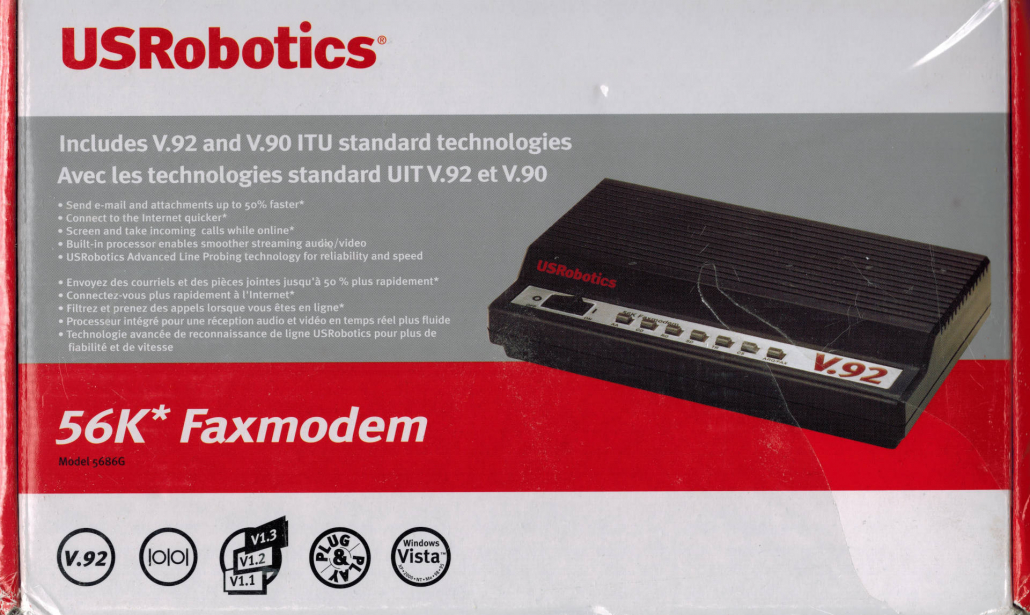
Retro comms tech is still useful in the modern age. It can be used to smuggle photos and short videos from war zones to the world media. Bulletin board systems still play a role in communicating information in closed systems. With the new GrandStream HT-802 adaptors you can send modem signals over VOIP (Voice Over Internet Protocol) when used with an uncompressed codec. The Serial-to-USB adaptor connects the USRobotics 56k (40kbps in reality) modem to your laptop or desktop computer. The modem is connected to a GrandStream VOIP device, which allows for connectivity with the telephone system.

As a hobby I work in the Bulletin Board System Scene Textmode Community managing an echomail network, as a sysop (system operator) running a bulletin board system, and am part of a free community-run file server. BBS'es are the first computer-based social network and they have only gotten better than they were in the late 90's and early 00's.

I can set you up with retro communications technology that will allow your organization to send and receive data without censorship from prevailing, using, yes slow, but effective technology. I can even create for you the bulletin board server itself using Mystic BBS software. This will allow you to have a covert communication system, for your non-government organization or journalism house. Fun times all around.

USRobotics V.92/V.90 56k Faxmodem
GrandStream HT 802 Version 2

renewing and upgrading

Computer Repairs and Upgrades

Most of our work involves upgrading and renewing computers.  People love their computers and don’t want them to end up in landfill.  We can easily upgrade computers to give them several more years of productive use on vintage computers.  We do this by upgrading the RAM (short-term memory) and switching out your HDD (hard disk drive long-term storage) with an SSD (solid state drive long-term storage).  By switching from a HDD to SSD you can expect a four times speed upgrade in reading and writing of data to your long-term storage drive.  By increasing the RAM the operating system will not require “swapping” from the short-term memory using some long-term memory (which is slower) temporarily in place of the SSD alone.  This technique is used when there isn’t enough RAM memory to fulfil the needs of the software applications loaded and running on the computer.  This is not preferable at all and makes for an especially long time loading programs, actually it is a large problem on older computers.  We can solve that problem.  We can make that problem disappear.  How much memory in terms of short-term RAM memory differs from computer to computer as to how far upgrades can go.  But our go-to solution is just to max it out as much as possible.  Some clients are on a fixed budget and others able to afford significant upgrades to their systems.  For those with less finances we install 512G SSD drives on their systems and for those who want prime systems the preferred option is a 1T or 2T SSD drive.  The preference is the TimeTec brand as they are backwards compatible.  This means that if your system only supports a slower speed then the SSD will still work on it.  If you have an older computer with older specs the TimeTec drives will work just fine.  It is one less problem to deal with if the drives are basically universal, that solution is provided by TimeTec and it is appreciated.

After your SSD and RAM are upgraded we often add an anti-virus in there for good measure.  On legacy systems we almost always go for a Webroot Anti-virus.  The malware signatures are updated regularly and Webroot is known to have an very small resource footprint, meaning that it takes very little CPU and RAM usage, being very optimised.

Hired For Adverts

Our Portfolio of Work Completed For Kansas Information Technology

I'm a layout artist who can prepare advertisements that are attractive and comprehensive. I have used a Stock Media service for some of the graphics and contracted out the ANSI-BBS dragon image to Luciano of Blocktronics. If I am provided simple graphics or receive instructions on how a client would like the layout to be I can make it happen. signalz.ca has subscribed to a Stock Media service provider, has access to artificial intelligence graphic design, and with these tools I can make beauty in your projects.

The Echomail Handbook

The Echomail Handbook: A Concise Exploration

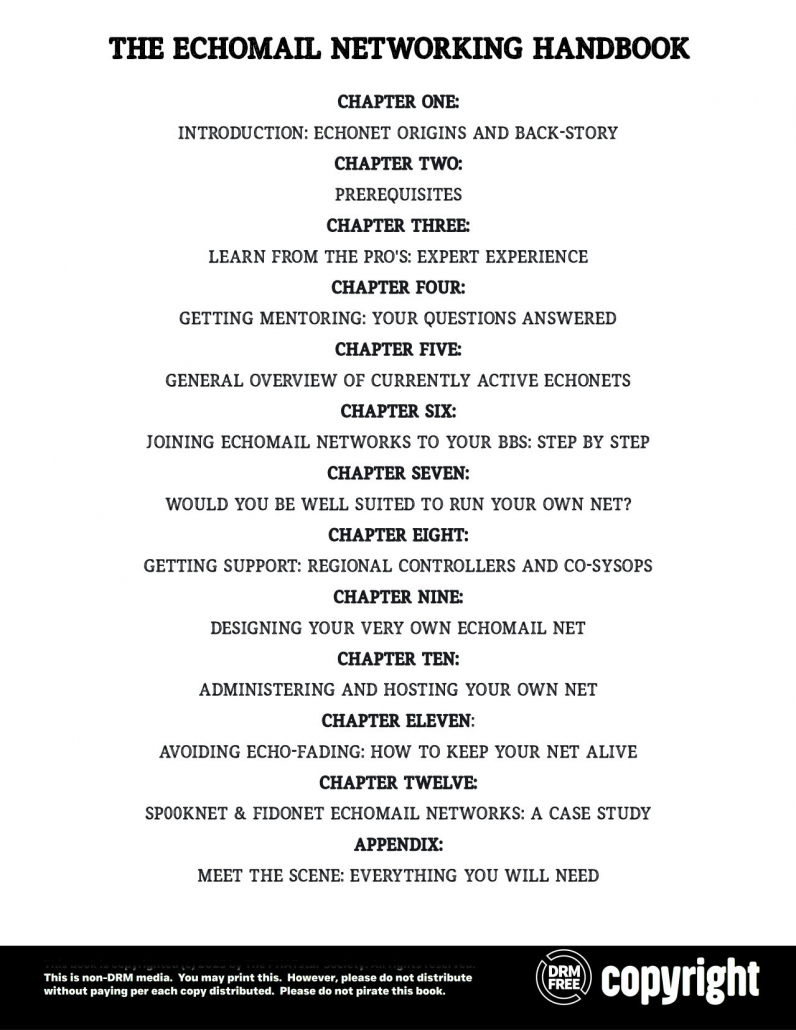
This is THE handbook on Echomail Networking, a store and forward messaging forum technology from back in the 80's and 90's, though it has never ceased to exist, it did fade from memory for a time. There is currently a resurgence of interest in this kind of chat system. Instead of BBSes dropping daily we actually have a growth trend in the number of people hosting their own bulletin board systems. The stats for this kind of this kind can be found at https://www.telnetbbsguide.com. The Echomail Networking Handbook aims to give people enough information so that its readers will be able to successfully add echomail networks to their BBS and even run their own echomail network. If you have any questions about echomail, this handbook is for you. It will be released in 2027 and will only be published in e-book form, for the time being, with a hard copy being produced down the road for people who would like the have it as a collector's item.

Our Background

Our Background

Early in my career I took the CompTIA (Computer Trade Industry Association) Technical Support Certification (otherwise known as the A+ Certification).  I then went on to get the CompTIA Network+ Certification, followed by the Security+ Certification, which focus on networking fundamentals and security fundamentals accordingly.  Eventually I took the Google IT Technical Support Certificate which was a lot of fun and highly educational.  I am currently working on the CompTIA Linux+ Certification which will give me credentials that I can use to prove the technical know-how to administer and repair GNU/Linux based computers, and I have used GNU/Linux for two decades.  To learn Linux I have enrolled in a Coursera brief on GNU/Linux around ten to twelve hours of online video training.  I currently use Ubuntu Linux as a daily driver as my work computer.  I prefer the long-term edition of Ubuntu as they have extended support for a platform that makes for stability in the operating system.  I have a subscription to the Proton group’s Lumo Artificial Intelligence which allows me to be able to program (“script”) very useful software applications.  I’ve been able to code an MBTI “game” which reveals a person’s “Personality” profile, as well as a tool which converts retro ANSI graphics into the PNG image format with “massive upscaling,” which means the conversion of text into very high-resolution images.  I’m currently working on a book on and called “Echomail Networking,” which is very much needed in the retro-communication scene.  There is a great lack of text on modern day echomail networking; it continues to be perplexing and mysterious.  We will produce a guide on this type of messaging forum and sell the e-book for around $13-15 USD and the hard copy in a very small run, costing around $40 USD for those who want a collectable from a Scene publisher.  My first real job was at a computer company in my home town.  It wasn’t located in a good spot and there weren’t many customers.  Now, over two and a half decades since then I can offer people quality services based both online and in person.  I don’t need to pay for a brick and mortar building.  I can invite people to bring their equipment to my place, stop off at a coffee shop, or work remotely at places such as a library or book store with seating.  Computers can be repaired remotely over the Internet and customers can feel good in having such services offered to them at inexpensive pricing.  The business was formed in such as way that it is what I would want if I were a customer, doing things that would make me well pleased as a buyer of services.